For all those who own a food business or supply food items or on-board suppliers in India, verifying the authenticity of the FSSAI license is an absolute necessity. Whether you own a restaurant or an e-commerce site or work as a procurement officer, FSSAI license verification online can now be done within seconds at no cost. Here’s a detailed guide on how you can verify any FSSAI license easily.
What Is an FSSAI License and Why Does FSSAI License Verification Online Matter
The Food Safety and Standards Authority of India (FSSAI) is the apex organization that regulates and monitors the safety of food products within India. Each food business operator (FBO) irrespective of whether it is a small street-side snack shop or a major manufacturing firm needs to acquire either an FSSAI Registration or FSSAI License based on its turnover.
A food business licensee has a unique 14-digit number that serves as evidence of its compliance with food safety norms. This number should be mentioned on every product label, signboard, menu, and advertisement.
Fssai license verification online becomes important since:
- It assists consumers in ascertaining that they purchase products from compliant food businesses.
- It enables buyers and retailers to verify their suppliers before entering into contractual agreements.
- It safeguards food enterprises against any legal and reputational risks.
- It prevents fraudulent food businesses from using invalid or obsolete license numbers.
Given the growing instances of food fraud and difficulties associated with verifying suppliers due to digitized transactions, Fssai license verification online has become a standard procedure for genuine food businesses.
Understanding the 14-Digit FSSAI License Number
Before starting to verify FSSAI license numbers online, you need to understand what each of the 14 digits means. The meanings of each number range from:
Digit 1: Shows the license number (1 for registration, 2 for state license, and 3 for central license).
Digits 2–3: The code for the particular state of the business’s registration.
Digits 4–5: The year of the issuance of the license.
Digits 6–14: Show the unique identification number of the business.
Understanding this will help you identify any mistakes in the license number, such as the first digit not being 1, 2, or 3.
FSSAI License Verification Online Using FOSCOS: STep by Step Process
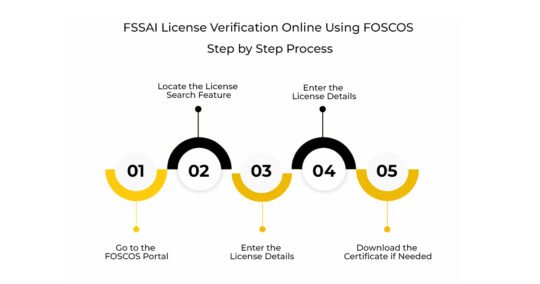
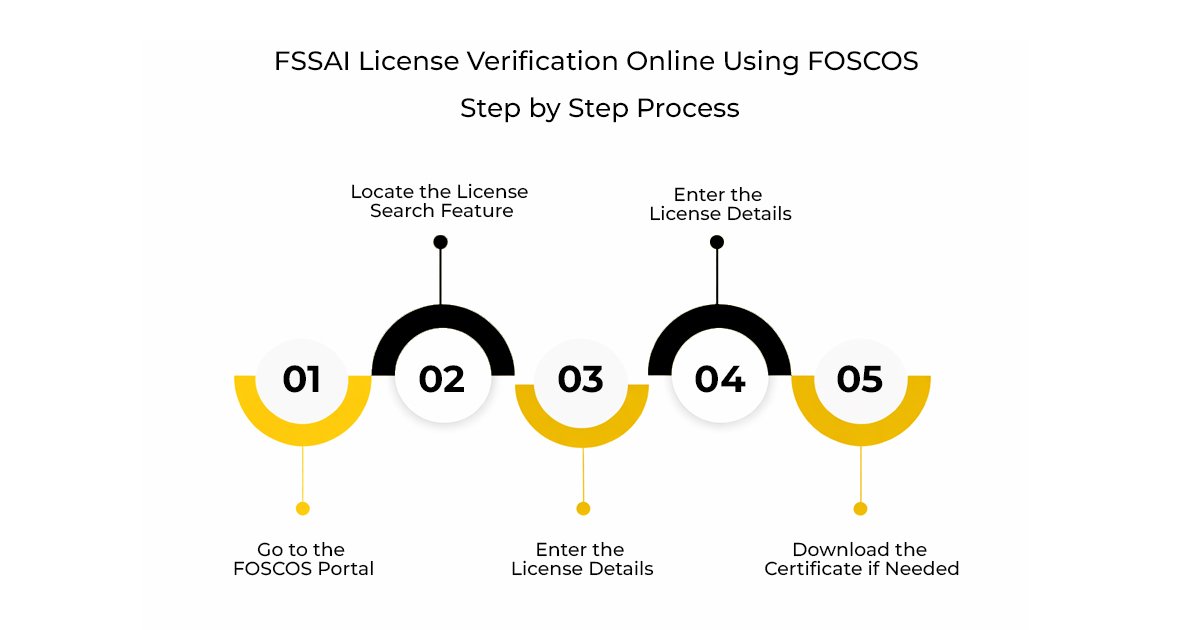
FOSCOS (Food Safety Compliance System) is the authorized online system for license verification by FSSAI.
Step 1: Go to the FOSCOS Portal
Using your preferred web browser, navigate to the official website at foscos.fssai.gov.in. The site is the legitimate online platform that performs several activities including online registration, renewal, and license/registration search for FSSAI.
Step 2: Locate the License Search Feature
On the homepage of the website, click the link ‘Search License/Registration’. You don’t need to be signed in to perform this action, which makes it free and convenient to utilize as an online FSSAI verification tool.
Step 3: Enter the License Details
You need to provide:
- License Number, which is 14 digits long
- Name of Business
- State/District
- Provide the available details and then click on the search button.
Step 4: Review the Verification Results
The portal will give details about:
- Name and address of business
- License type
- Date of license issue and expiry
- Status – active, expired, suspended or cancelled
In case all the details given are verified with the claims made by the food business, then one should use online FSSAI verification. In case the license is either expired or cancelled, then the food business will be operating illegally.
Step 5: Download the Certificate if Needed
The licensed FBOs may choose to log in directly to the FOSCOS portal and download their FSSAI license certificates in the PDF format. This service will be beneficial for the purpose of providing proofs during audit, product listing at e-commerce portals, and buyer onboarding certificates.
FSSAI License Verification Online for Supplier Onboarding
FSSAI license verification is crucial for the procurement team for supplier onboarding. Before entering into a contract with food manufacturers, distributors, and packaged foods, buyers should ensure that:
- The supplier has an active FSSAI license and not an expired one.
- The name of the company registered under FSSAI matches the name mentioned in the supply contract.
- The FSSAI license type matches the operational volume of the supplier.
- The types of food products listed in the FSSAI license are consistent with those supplied by the supplier.
An expired food license India or mismatch between the FSSAI license type and supplier operational volume will be a compliance risk for the supplier. E-commerce platforms such as Amazon, Flipkart, Swiggy, and Zomato typically ask suppliers to provide FSSAI license information for food items listed on their platform.
Maintaining the history of your FSSAI license verification can help you stay compliant with regulations.
How to Do FSSAI License Number Check Online Free Without a 14-Digit Number
Most people think that one requires the complete 14-digit code to conduct an FSSAI license number check online for free. However, this is not always the case. There is another option through which one can look up FSSAI licenses through the name of the company or even the state at the FOSCOS website.
- Visit the website at foscos.fssai.gov.in.
- Click the license search option.
- Select “Business Name” in the search filter menu.
- Input the name of the food business even partially (if it is a well-known business).
- Narrow your search down to state level.
- Scan through the results and compare with other details such as address, product type, and license type.
This will prove to be very useful when trying to perform an FSSAI license number check by name of consumer-friendly products such as restaurants, cloud kitchens, or packed food items by searching the name on their packaging or menus.
How to Check FSSAI License Validity Check Online FOSCOS
License validity is probably the most overlooked compliance issue in the food industry. The validity period of the FSSAI license ranges from one year to five years (as selected by the FBO during the initial application process). Upon expiration, the license needs to be renewed; otherwise, the organization is considered to be running its business illegally.
To conduct an FSSAI license validity check via the FOSCOS portal:
- Visit the FOSCOS portal and carry out a license validity search using the method mentioned above.
- In the search result, focus on the Valid Upto or Expiry Date section.
- Compare the current date with the expiry date.
- If the license has already expired, you may notice that the Status column also displays Expired.
For your own organization, it would be best to create a calendar alert at least 60–90 days prior to the expiry of your license. In this regard, you may initiate a license renewal application right through the FOSCOS portal under the FSSAI registration online services.
What to Do If You Find a Fake or Invalid FSSAI License Number
When the FSSAI license verification online shows no matches or mismatched information, the operator might be a fake food vendor. The following should be done in such cases:
- Never transact with such a business until the issue is sorted out.
- Record evidence, including screenshots of the result of the search and the license number claimed.
- File a report with the FSSAI consumer help line (1800-11-2100) or using the Food Safety Connect mobile application.
- Submit a report through the feedback/complaint module of the FOSCOS portal.
- In case of severe fraud, the matter can also be raised with the Food Safety department of the state in which you are doing business.
Reporting fake FSSAI license numbers helps your business as well as end consumers who may unknowingly buy food products from the unregistered operator.
FSSAI License Documents Required
Knowing about the documents used to obtain the FSSAI license enables one to judge the authenticity of the license during FSSAI license verification. The documents needed for FSSAI license verification depend on the type of license:
For Basic FSSAI Registration (Turnover below ₹12 lakh)
- Form A application
- Proprietor/partner identity and address proof
- Passport size photo
- Business address proof
For State FSSAI License (Turnover ₹12 lakh to ₹20 crore)
- Form B application
- Proof of possession of premises
- Food safety management system documentation
- List of food products to be manufactured/sold
- Partnership deed or certificate of incorporation
For Central FSSAI License (Turnover above ₹20 crore or multi-state operations)
- Form B application + additional declaration form
- IE Code (importer/exporter code)
- No Objection Certificate from municipality/local authority
- Layout plan of processing plant
In case the supplier presents FSSAI license, verifying whether the type of the license is commensurate with the supplier’s scale of operation forms a key aspect of a proper FSSAI license verification online.
>Read Also:- FSSAI License Fees 2026: Updated Fees, New Thresholds & April 2026 Reforms
Key Takeaways
- FSSAI license verification online is possible with the help of the FOSCOS portal available at foscos.fssai.gov.in.
- All food businesses registered in India need an FSSAI registration/license, a unique 14-digit number that appears on all packages and signboards.
- Verification may be carried out based on the license number, business name, or state, without needing complete information about the company.
- If you find an expired license number, suspended license number, or unverifiable license number, it is necessary to alert the FSSAI instantly.
- FSSAI license verification online must be conducted by all buyers and procurement managers before entering into any agreement with the supplier.

How to Verify FSSAI License Number Online: A Step-by-Step Guide
Learn how to check an FSSAI license number online, verify food business authenticity, and access registration details through the official FSSAI portal.
Frequently Asked Questions
How can I verify an FSSAI license number online?
Go to the FoSCoS website, click on “Search License/Registration”, enter the 14-digit license number or business name, and the portal will display the license status and related details instantly.
Is FSSAI license number check online free?
Yes, the FSSAI license number verification process on the FoSCoS portal is completely free and does not require registration or login.
Can I do an FSSAI registration number check by name if I don’t have the number?
Yes, you can search by business name on the FoSCoS portal by selecting the Business Name filter and entering the name of the food business.
How do I perform an FSSAI license validity check online?
Search for the license on the FoSCoS portal and review the “Valid Upto” date to confirm whether the license is active or expired.
Why is FSSAI license verification for supplier onboarding important?
Verifying supplier FSSAI licenses helps ensure regulatory compliance and reduces legal and food safety risks associated with working with non-compliant food businesses.
How to report a fake or invalid FSSAI license number?
You can report suspicious or fake licenses through the Food Safety Connect app, the FoSCoS portal, or by calling the FSSAI consumer helpline at 1800-11-2100.
How do I download my FSSAI license certificate online?
Log in to your FoSCoS Food Business Operator (FBO) account, locate your active license, and click on the “Download Certificate” option to save the PDF certificate.